Known Issues
Launching the application using the SteamVR Runtime while Meta Plugin Compatibility is set to On may cause the following problems:
• Black screen on startup
• Incorrect hand orientation
• Button inputs not being recognized
Troubleshooting
If you experience any of the issues listed above, follow these steps:
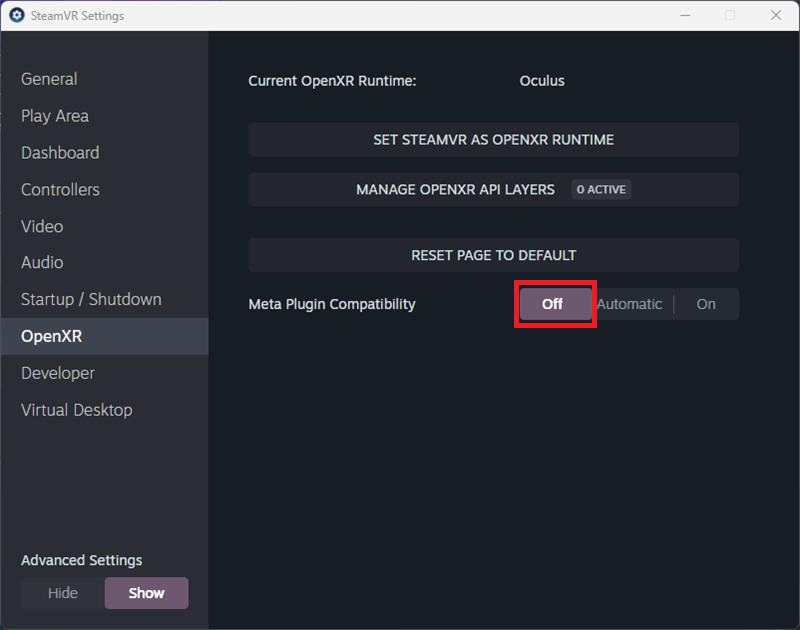
1. Open SteamVR Settings.
2. Navigate to OpenXR.
3. Set Meta Plugin Compatibility to Off.
4. Restart the application to apply the changes.
SteamVR Settings Reference
We’ve identified a couple of issues that you might be experiencing:
• Stuck on the terms acceptance screen: You enter the game but can’t get past the screen to accept the terms.
• Black screen with music: You open the game and see a black screen but can hear the music.
These problems are related to SteamVR configuration. Here’s how to diagnose and fix them:
Check if your OpenXR Runtime is set correctly
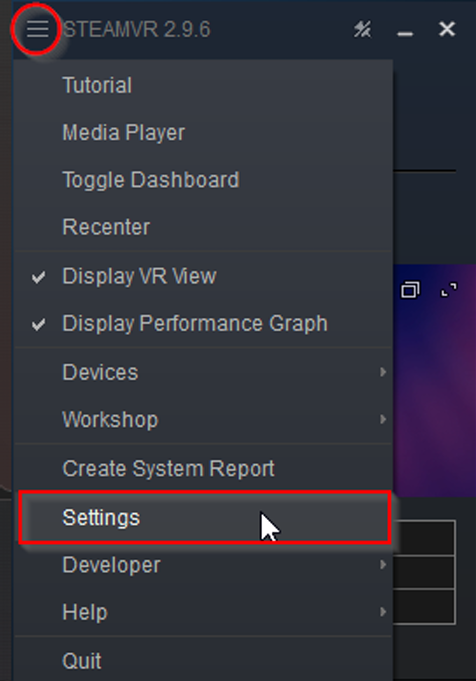
Open SteamVR, and then press the burger button and select “Settings”.
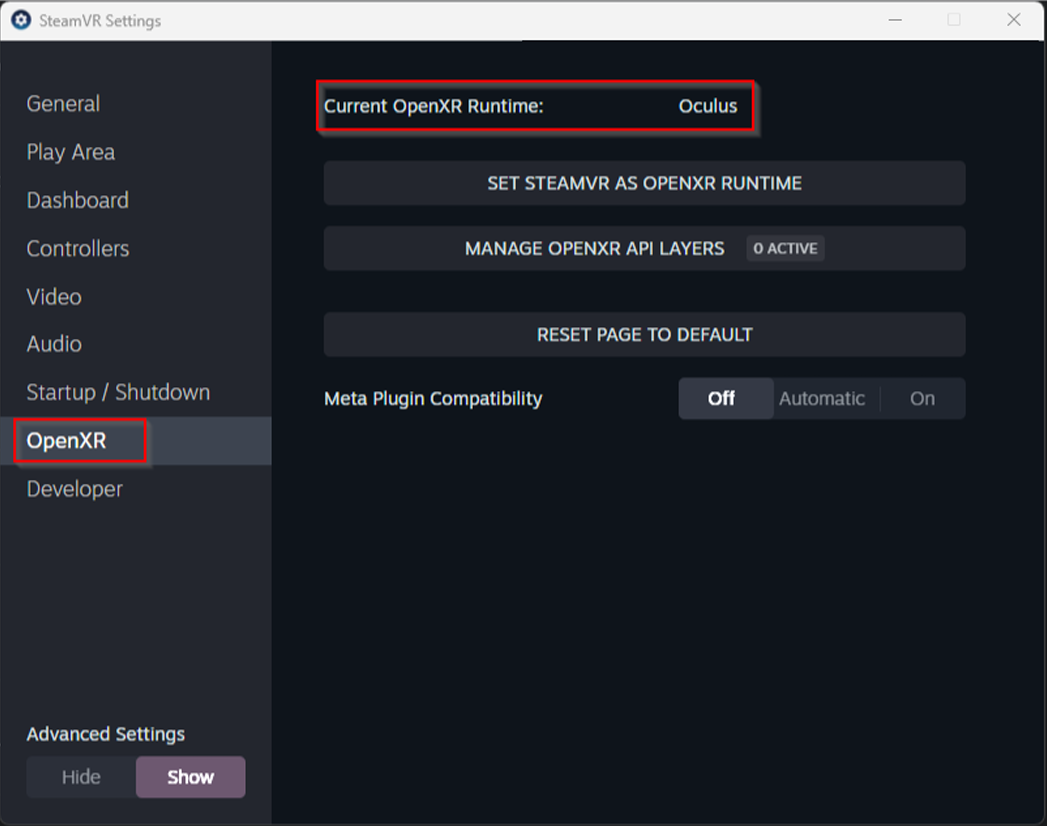
Check if your Current OpenXR Runtime is Oculus, if it looks like this, it won’t work:
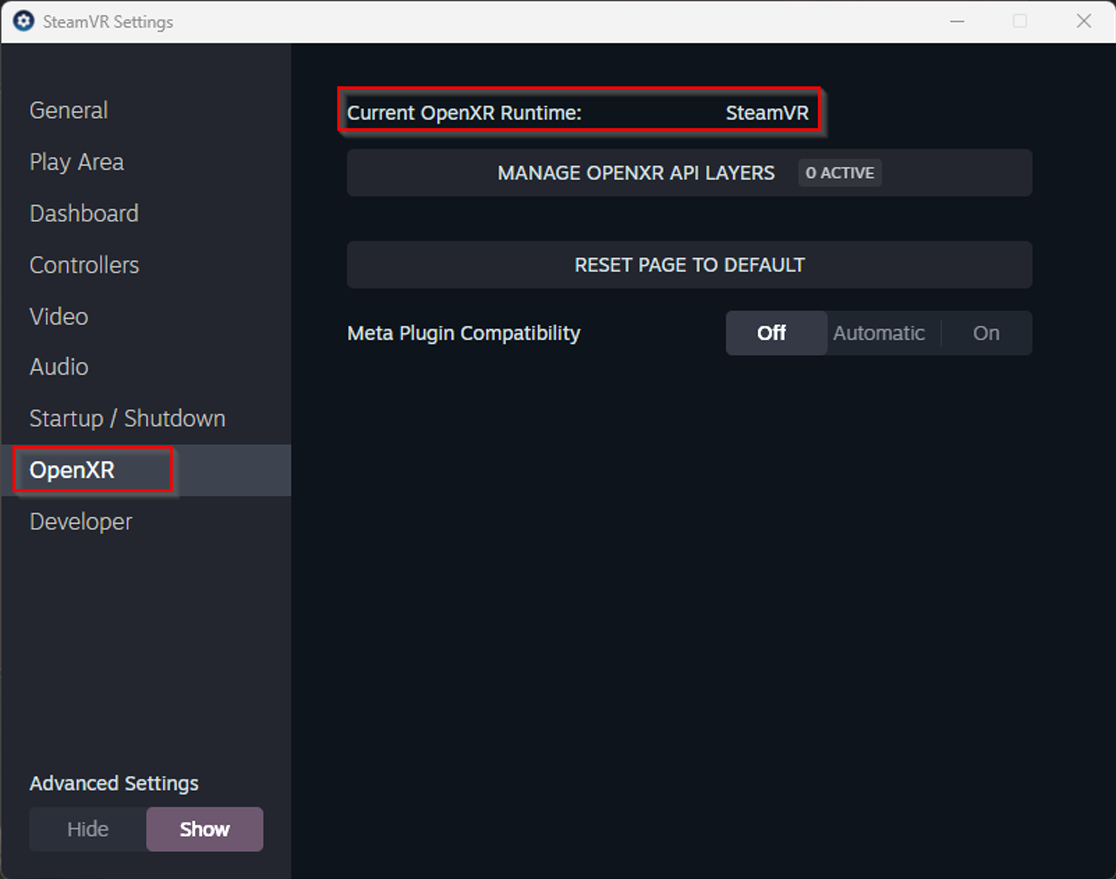
If your Meta Plugin Compatibility setting is:
• Off: your hands won’t be detected and you won’t be able to pass beyond the accept terms screen.
• Automatic/On: you will see a black screen and will be able to listen to the background music.

In any of this cases, the game won’t work.
How to fix it:
1. Install Meta Quest Link
(https://www.meta.com/help/quest/1517439565442928/) and set it up.
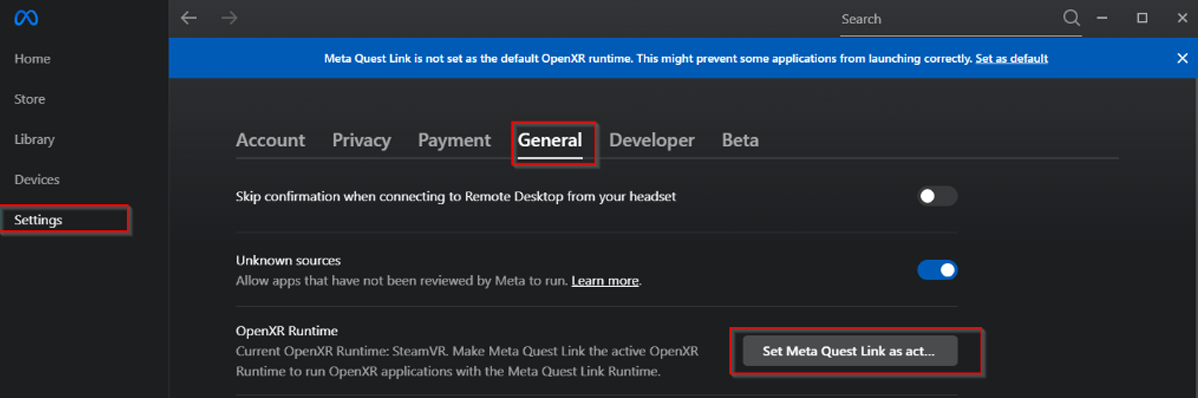
2. Open Meta Quest Link, you will see this warning:

3. Press over “Set as default”, or got to Settings->General.
4. Press the button “Set Meta Quest Link as active OpenXR Runtime”
5. Open SteamVR from Steam.
6. Open SteamVR Settings.
7. Select Open XR, and check that the current OpenXR Runtime is Oculus: